
GPS Location Tracker Plus
Anuoluwapo Product LimitedMaps & Navigation
3.953.00 Reviews
- Version
- 1.3.0.0
- Installs
- 1.00M
- Age Rating
- Everyone
Screenshots
Our Review of GPS Location Tracker Plus
 Analysis by Appyee
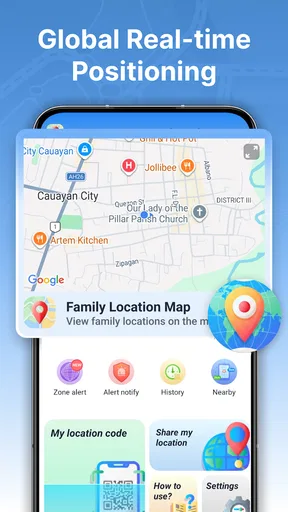
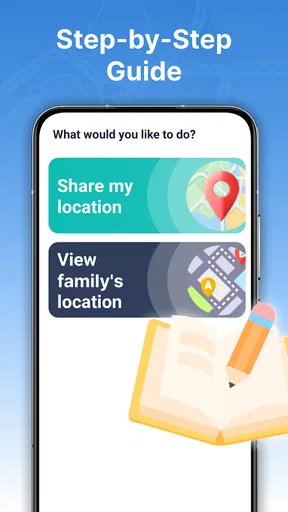
I tend to trust a location-sharing tool more when it helps people coordinate calmly, rather than encouraging them to watch a map all day. GPS Location Tracker Plus is built around that practical idea: it lets family members share real-time location and set alerts for a safe area. The useful question is not just where someone is, but whether a shared location can reduce the need for repeated check-in messages. In my view, that is the clearest reason to consider this family location tracker.
Location sharing with a purpose
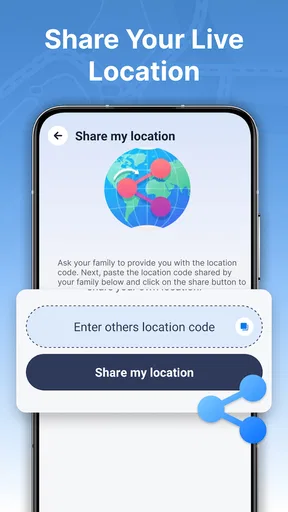
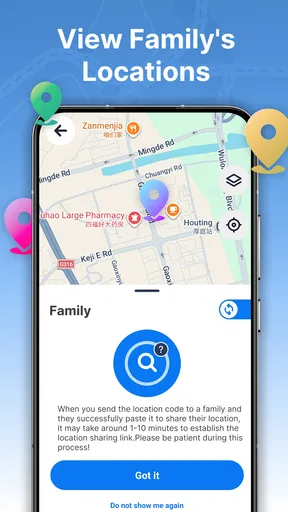
The app belongs to the maps and navigation category, but it is more focused than a conventional navigation app. I would not choose it to plan a route or explore unfamiliar streets; its central job is to help family members see one another’s location and receive a notice connected to a designated safe area. That narrower purpose can be helpful when the people involved have agreed on what they want to share and why.
That agreement matters. A location-sharing app works best as a practical arrangement between people, not as a substitute for trust or conversation. I would explain who will be able to see a location, when sharing is expected, and what the safe-area alert is meant to accomplish before relying on it. Used that way, the map can answer a simple coordination question without turning every trip into a demand for constant updates.
The developer is Anuoluwapo Product Limited. GPS Location Tracker Plus is free, has an Everyone age rating, and is currently at version 1.3.0.0. It has a 3.9 average from around 3,200 ratings and more than 1 million installs. Those figures suggest that it has found an audience, but they do not tell me how well it will fit a particular family’s routines; that depends more on the group’s expectations and how consistently each person uses it.
What a safe-area alert changes
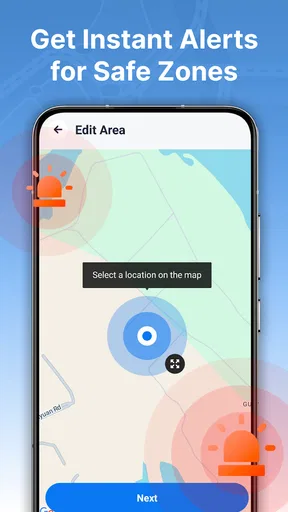
The most meaningful part of the idea is the combination of live location and a safe-area alert. A map can show where someone appears to be at a particular moment, while an area-based notice can make a familiar boundary more useful. Instead of asking someone to send a message every time they arrive, a family can use the alert as a prompt that an agreed arrival or departure has occurred.
This distinction is easy to overlook. A location dot is information you have to check; an alert is information that can reach you without repeatedly opening the map. For a parent waiting for a child to arrive, or relatives coordinating a visit, that can make the feature more useful than passive location viewing. It also encourages a healthier workflow: decide which places matter, agree on what the alert means, and then check only when there is a reason.
I would keep the number of important areas modest. If every shop, stop, or familiar street becomes an alert point, the notifications may become background noise. A home, school, or another agreed destination is easier to interpret than a long collection of boundaries. The value comes from making a small number of changes in location meaningful, not from turning the app into a minute-by-minute activity feed.
How I would use it during an ordinary day
Imagine a teenager travelling home after an activity while a parent is preparing dinner. The parent and teenager agree that sharing is for the journey home, and that the safe-area notice will serve as a convenient arrival signal. The parent can avoid sending several “where are you?” messages, while the teenager does not need to remember to text at the door. That is a modest benefit, but it solves a real, recurring coordination problem.
I would still treat an alert as a convenience rather than proof that everything is fine. Phones can be left behind, turned off, or unavailable, and a location display is only useful when the device and app are functioning as expected. If an arrival notice does not appear, the sensible next step is ordinary communication, not a series of assumptions based on the map. This is especially important when the situation is urgent: a location tracker should not replace direct contact or emergency services.
A useful setup habit is to test the family’s routine before relying on it. Choose one familiar destination, make sure everyone understands the sharing arrangement, and observe whether the alert fits the way people actually travel. If the family finds that it creates confusion or unnecessary checking, revise the arrangement rather than adding more alerts. That small trial can reveal whether the tool reduces friction or simply shifts it from messages to notifications.
For a caregiver coordinating with an older relative, the same approach can support a check-in routine without demanding constant calls. The relative should be part of the decision, and the location-sharing expectation should be clear and proportionate. If the goal is only to know that someone reached a familiar place, the safe-area concept is more relevant than watching a moving marker throughout the day.
Where it fits beside familiar alternatives
Many people already use messaging apps to share a location temporarily or send a quick arrival text. That approach is often better for a one-off meeting: share once, coordinate, and stop. GPS Location Tracker Plus makes more sense when the same people need a repeated arrangement around family locations. Its appeal is the continuing, household-oriented use of location and safe-area alerts, rather than route guidance or a single navigation session.
Compared with a full navigation app, this is a different tool, not a replacement. Navigation apps are the better choice when the main need is directions, traffic-aware route planning, or finding a destination. Compared with a quick text, this app may reduce the need to remember to report arrival, but it also asks the family to maintain a shared location arrangement. The more often a routine repeats, the more that tradeoff can pay off; for occasional coordination, a message may be simpler.
I would also distinguish it from a family conversation. A map can show a location, but it cannot explain a delayed stop, a changed plan, or how someone is feeling. The app can support coordination, not provide context. If a family tends to interpret every change in location as a problem, the added visibility may create tension rather than reassurance. In that household, a clear check-in agreement may be the better option.
Tradeoffs worth considering before relying on it
The main friction is the social side of sharing. Each person needs to understand the arrangement and be comfortable with it. A tool intended for safety can feel intrusive if one person expects continuous visibility while another believes sharing is occasional. I would make consent and purpose part of setup, and revisit the agreement if circumstances change. That is not a technical detail; it is what determines whether the app feels useful or overbearing.
There is also a practical dependency on the people and devices involved. For a location-based routine to help, the relevant family members need to participate and keep the arrangement usable. If someone routinely leaves a phone at home or does not want to share location, the map cannot answer the family’s question. In that case, a planned call or message is more dependable because it matches the person’s actual preference.
Notifications can be helpful, but they should not become a substitute for judgement. I would avoid treating a safe-area event as a precise guarantee about a person’s wellbeing. The alert is best understood as a coordination cue: it can prompt a check-in or spare someone a routine text, but it cannot explain why a trip changed. Keeping that expectation realistic is one of the simplest ways to avoid false reassurance.
Privacy is another reason to keep the use focused. Rather than sharing for its own sake, decide which family members need access and what routine the location information supports. If the purpose is an arrival notice, use the arrangement for that purpose instead of treating the map as entertainment. People who want no ongoing location sharing, or who are uncomfortable with family members seeing their movements, should skip this kind of tool and choose direct communication instead.
Who is most likely to benefit
I can see GPS Location Tracker Plus being most useful for families with recurring journeys and a shared, specific reason to check arrival or location. Parents coordinating school or activity trips, relatives arranging regular visits, and caregivers supporting an agreed check-in routine are the clearest fits. In each case, the benefit is strongest when the people involved already trust one another and want fewer repetitive messages, not when one person is trying to monitor another without discussion.
It is less compelling for someone who mainly wants turn-by-turn directions, a one-time meetup location, or a private navigation tool. A standard maps app is a better match for getting from one place to another. A text is often enough for occasional plans. And if family members disagree about sharing, installing a tracker is unlikely to resolve that disagreement; an honest conversation is the better first step.
For device compatibility, the app lists Android 9 as its minimum operating-system requirement. I would check that the intended users’ phones meet that requirement before asking everyone to join a shared routine. The app was released on April 13, 2026, so its version number and release information are worth checking in the app store when deciding whether to install it on a particular device.
My overall view is that GPS Location Tracker Plus has a focused, understandable role: it can make routine family coordination less dependent on repeated arrival texts by pairing shared location with safe-area alerts. I would recommend it to people who can agree on a clear, limited use and who want that small convenience in their everyday routine. I would not recommend it as a replacement for navigation, personal communication, or trust. Its strongest use is not watching a map constantly; it is setting up a simple shared expectation and then letting the alert handle one predictable check-in.
Privacy and Permissions
See what permissions an app requests and how it handles your data.
- Location
- approximate location (network-based), precise location (GPS and network-based)
- Wi-Fi connection information
- view Wi-Fi connections
- Other
- view network connections, full network access, control vibration, prevent device from sleeping, Google Play license check
Verdict
Strengths of GPS Location Tracker Plus
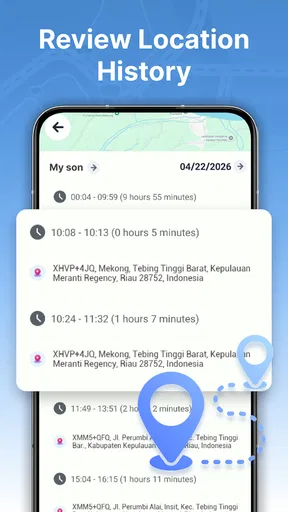
- Location history can help you retrace recently visited places.
- Saved places make it easier to keep track of important destinations.
- GPS-based tracking can provide useful location context while traveling.
- A focused tracking tool may be simpler to use than a full navigation app.
- Location details can help coordinate meetups with trusted contacts.
Limitations of GPS Location Tracker Plus
- GPS accuracy can drop indoors or in areas with weak satellite signals.
- Continuous tracking may use more battery than occasional location checks.
- Location features may require granting sensitive permissions.
- Background tracking can be limited by device power-saving settings.
- Sharing location data can raise privacy concerns.
Other Releases by Anuoluwapo Product Limited
View All
LoanWise Calculator
Finance3.0
Similar Picks in This Category
View All
Uber - Request a ride
Uber Technologies, Inc.4.7


inDrive. Rides with fair fares
® SUOL INNOVATIONS LTD4.8

Yandex Go: Taxi Food Delivery
Mikromobilnost LLC Belgrade4.8

Bolt: Request a Ride
Bolt Technology4.8

Rapido: Bike-Taxi, Auto & Cabs
Rapido Bike Taxi4.8
Frequently Asked Questions
What is GPS Location Tracker Plus used for?
GPS Location Tracker Plus is designed to help users view and monitor location information on a mobile device. Its precise features can vary by app version, so check the current store listing for details such as map tools, location history, or sharing options. A tracker can only provide useful results when the device has location services enabled and a reliable GPS or network connection.
Does GPS Location Tracker Plus track a phone without the user's knowledge?
You should not assume that GPS Location Tracker Plus can or should track someone secretly. Location access normally requires device permissions, and tracking another person should be done only with their informed consent and in accordance with local law. Before setting up any sharing or monitoring feature, review the app's permission prompts and settings, and make sure everyone involved understands what location information may be collected or shared.
Does GPS Location Tracker Plus need an internet connection?
GPS can determine a device's position using satellite signals, but map display, location updates, and any online sharing features may require mobile data or Wi-Fi. Performance can also be affected by being indoors, tall buildings, battery-saving settings, or weak reception. Check the app's current description to confirm which features work offline, and avoid relying on it as the sole option for emergencies or critical navigation.
Is GPS Location Tracker Plus free, and does it include ads or in-app purchases?
Pricing, advertising, and optional purchases can differ by platform, region, and version. Review the Google Play or Apple App Store listing before downloading to see whether the app is free to install, offers subscriptions, or includes paid features. Also check the purchase terms and cancellation instructions if you start a trial or subscription, since removing an app from your phone may not cancel a store-managed subscription.
What privacy and battery issues should I consider before installing GPS Location Tracker Plus?
Location is sensitive personal information, so review the app's privacy policy and request only the permissions needed for the features you plan to use. Background location updates can use more battery than occasional checks, especially with frequent tracking or weak signal. You can usually manage location access and battery use in your phone's settings, but restricting them may reduce update frequency or disable some app functions.
